
WooCommerce cart
PROShow the cart and item count right in the menu bar.
WordPress plugin · PRO
WP Responsive Menu turns your WordPress menu into a fully customizable sliding menu for mobile and desktop, with zero coding.
30,000+ active installs on WordPress.org

PRO features
Easily add your brand’s logo, colors, and typography to the menu.
See all features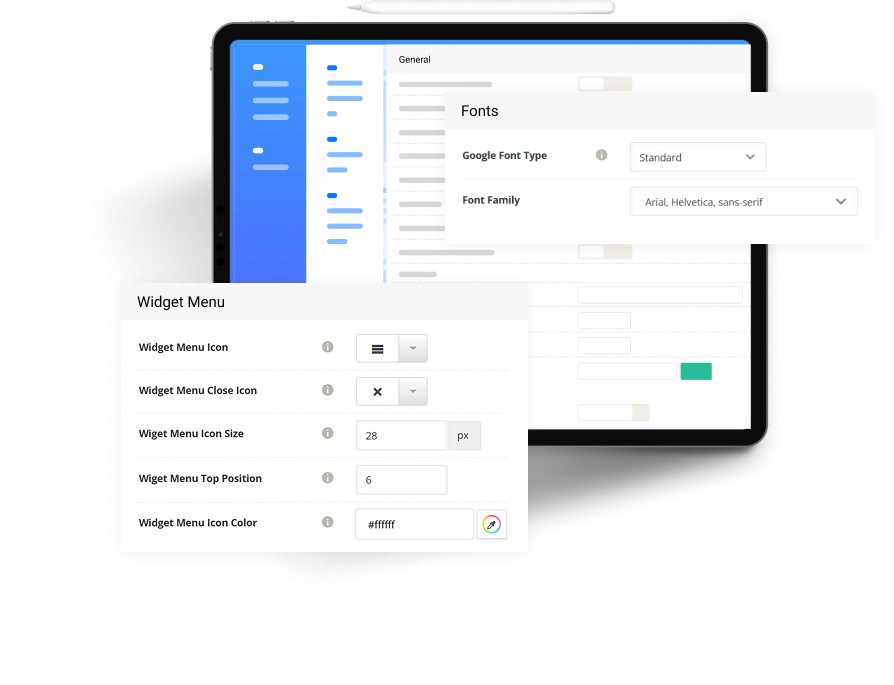
Everything in PRO
From WooCommerce carts to multilingual menus, PRO covers the details that make your menu feel native on every screen.
Show the cart and item count right in the menu bar.
Put search in the bar itself, one tap away.
Link your social profiles at the foot of the menu.
Use any Google font, or your own.
Swap the menu and submenu icons to suit your site.
Drop widgets straight into the menu panel.
Open the menu edge to edge across the screen.
Turn the menu off wherever you don’t need it.
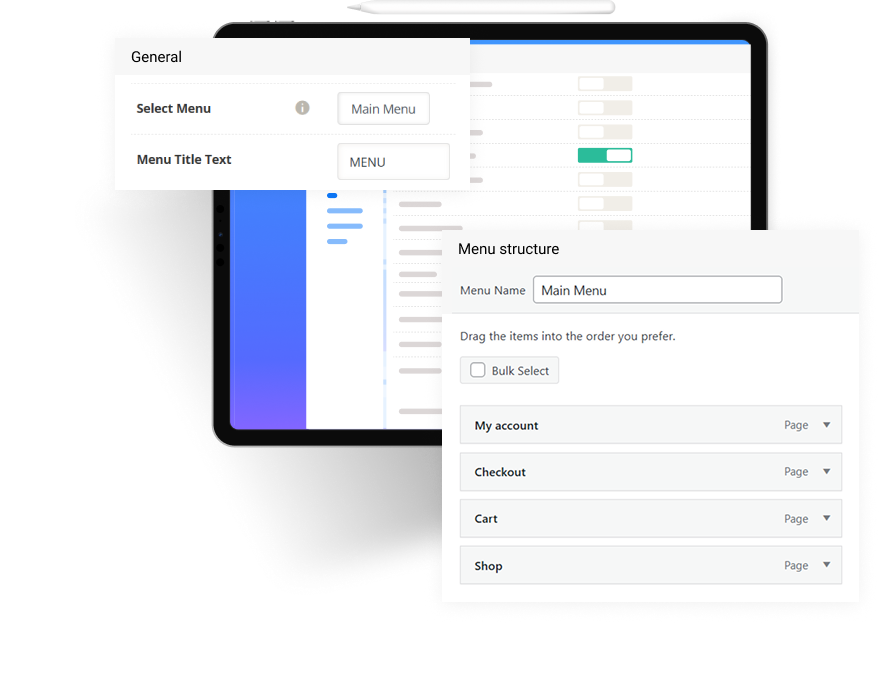
Serve the right menu on multilingual sites.
Copy your settings to another site in one click.
Open and close the menu with a swipe.
Slide in from the top, bottom, left or right.
Built for every site
Create fast menus for mobile and desktop with zero coding. Fully customizable and works on any device.
One menu for phones, tablets and large screens.
Change colors, fonts, icons, and animation styles.
Install, configure, and go. No dev skills required.
Optimized for performance, so it won’t slow down your site.
Predefined templates
Import a predefined menu design in one click, then tune its colors, fonts and icons to match your site. Every template works on mobile and desktop.
How it works
No developer, no code. Most sites have a new menu running in a few minutes.
In your dashboard go to Plugins › Add New, search “WP Responsive Menu” and activate it.
Open WPR Menu › Demo import and pick a predefined design in one click.
Fine-tune colors, fonts and icons with the live preview, then save.
Unlock premium features today
Get access to advanced styles, animations, support, and full design control, all built for serious WordPress creators.
Reviews
Here’s what other users had to say about our product.
The easiest way to add a responsive menu, works great on all devices! Highly customizable and no performance issues at all.
 Edward WeznickMedia Director, Turn Arround Media Group
Free vs PRO
The free plugin covers a solid mobile menu. PRO adds the store, branding and multilingual tools.
| Feature | Free | PRO |
|---|---|---|
| Responsive sliding menu | ||
| Open from top, bottom, left or right | ||
| Swipe gestures | ||
| RTL support | ||
| Polylang support | ||
| Predefined templates | 2 | All 6 |
| Search on the menu bar | ||
| WooCommerce cart | ||
| Social icons | ||
| Google and custom fonts | ||
| Custom menu and submenu icons | ||
| Widget and full-width menus | ||
| Hide on chosen pages | ||
| WPML support | ||
| Priority support |
Pricing
Our wide range of plans ensures that you find the perfect match, giving you the confidence and support you need.
FAQ
Find the answers to frequently asked questions here.
No. Install the plugin, choose your menu, and style it from the settings panel: colors, fonts, icons, and animations are all point-and-click. No code and no developer needed.
The free version covers the basics of a responsive mobile menu. PRO adds premium menu themes and transitions, advanced customization controls, and priority updates and support.
Yes. Use it as your mobile menu, your desktop menu, or both. It works across all screen sizes and it’s lightweight, so it won’t slow your site down.
Yes. Licenses cover a single site, up to 5 sites, or unlimited sites, and every plan includes all PRO features.
Updates and priority support are included with every plan. If you need help, open a ticket or contact us.
Download WP Responsive Menu for completely free and start making beautiful websites today.
We respect your privacy and won’t share your email with anyone.